AI filmmaking in 2026 is no longer about generating a single impressive clip. This complete guide breaks down the tools, workflows, and creative decisions behind building a real film, from script and storyboards to consistent characters, video generation, sound, editing, and final export.
AI filmmakingAI filmmaking 2026AI filmAI filmmakerAI filmmaking toolsAI filmmaking workflowhow to make an AI filmAI video generationAI video toolsAI short filmAI movie makerAI film productiongenerative AI filmmakingAI storyboardingAI previsualizationAI character consistencyAI video workflowbest AI tools for filmmakingvirtual productionAI production workflowAI script to videoAI filmmaking guideRadiate Studio
Most AI short films do not fail because of model quality. They fail because they were generated, not directed. This guide gives you a practical production template for going from story beats and character setup to scenes, shot lists, reviewable drafts, and export without losing continuity.
AI FilmmakingAI Short FilmStoryboardingProduction TemplateCreative WorkflowAI StorytellingPromptingRadiate Studio
The most expensive part of AI production is not your subscription. It is your workflow. Prompt-only workflows feel fast at first, but they quietly burn credits, waste time, and create continuity chaos. This guide breaks down where the real cost comes from and how to build a more efficient production system.
AI WorkflowPromptingAI FilmmakingCreative OpsProduction WorkflowAI CreditsAI StorytellingRadiate Studio
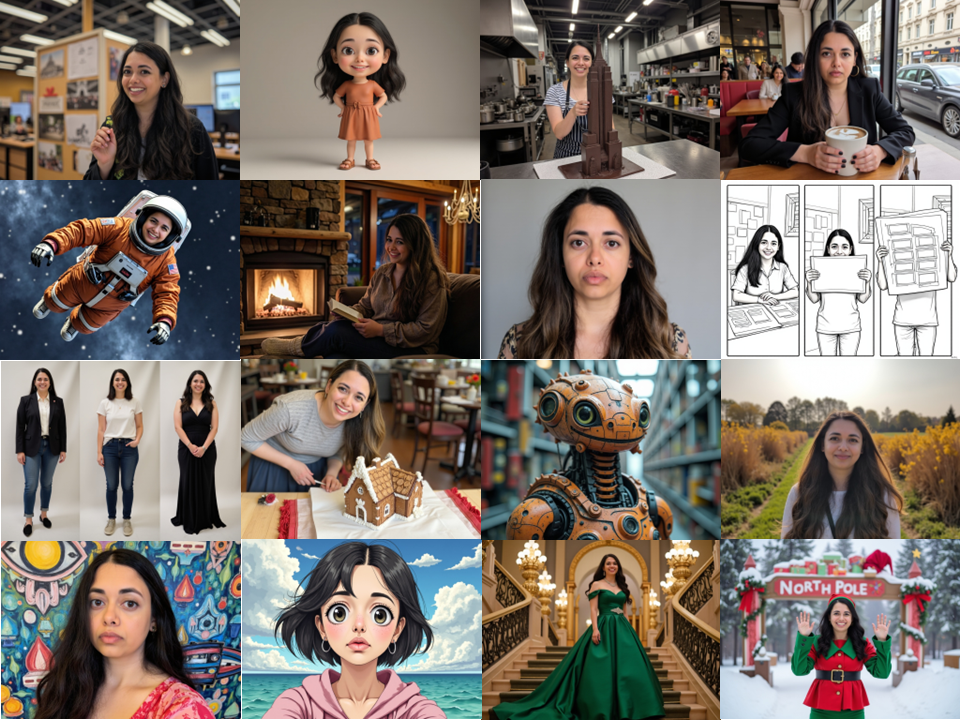
Character consistency is where most AI storytelling projects break. The first image looks perfect, then the face drifts as soon as you change the lighting, outfit, or angle. This article shows a practical system for keeping the same character recognizable across scenes, expressions, and environments without constant rework.
AI FilmmakingCharacter ConsistencyAI CharactersAI StorytellingPromptingCreative WorkflowContinuityRadiate Studio
If your AI short film looks like five different directors made it, you are not alone. Most scene inconsistency is not a prompt problem. It is a workflow problem. This guide breaks down the real causes of style drift, lighting mismatch, and continuity breaks, then shows you a practical scene anchoring system to fix it.
AI FilmmakingScene ContinuityAI VideoPromptingCreative WorkflowLightingCinematic StyleRadiate Studio
Radiate follows a production-style workflow that helps you shape a story, break it into scenes and shots, review it end-to-end, and refine faster. From script to cast to preview and export, this is how Radiate helps you get to a draft, fast.
Radiate Studiovirtual productionstoryboardingpre-visworkflowscript to storyboardcollaborationaudio timelinereviewable draftscontent creation
Most AI prompts describe *what* is in the scene. Filmmakers describe *how the camera sees it*. This guide teaches camera language you can copy-paste into prompts—shots, lenses, movement, lighting, blocking, and continuity—so your AI images and videos feel intentional, cinematic, and consistent. Includes templates and examples to prompt like a filmmaker.
prompting like a filmmakercamera language AI promptscinematic promptingshot types promptlens focal length promptcamera movement promptfilm look AIfilmmaking promptscinematic camera promptsvisual storytelling promptscinematic composition promptslighting direction promptslens choice promptscamera angle promptsestablishing shot promptclose-up promptmedium shot promptwide shot promptdolly push-in promptpan tilt prompthandheld vs stabilized promptdepth of field promptfilm grain promptcolor grade prompt
Copy/paste these 10 AI prompt templates for cinematic shots, storyboards, consistent characters, and clean edits. Built for creators who want repeatable results. These are the prompt templates creators keep coming back to, because they reliably produce cinematic frames, clean storyboards, consistent characters, and usable shots. Copy/paste, swap the bracketed fields, and ship faster.
AI prompt templatescinematic prompt templatestoryboard promptconsistent character promptcamera language promptnegative prompt templatevideo prompt templateprompt engineeringcreator workflowAI storyboardingvirtual productionprevisshot planningcinematic lightinglens promptscamera movement promptsimage generation promptsvideo generation promptsRadiate Studio
Consistent characters are the difference between “cool AI images” and a story you can actually build. This guide explains how to anchor identity across outfits, scenes, and styles using identity-first prompting, control variables, and targeted constraints—plus practical fixes for face drift, expression mismatch, and style switching.
consistent charactersAI character consistencyface consistencyLoRAprompt templatesAI storyboardingvirtual productionpreviscreator workflowRadiate Studio
Radiate Studio’s storyboarding workflow is the core, but it’s not a requirement. Start with structure, start by exploring visuals, motion, or sound, then bring the strongest options back into a coherent sequence. Radiate organizes creative tools into “studios” so your assets stay connected to the larger project as you iterate.
Radiate Studio is a collaborative virtual production workspace that helps you turn an idea into a reviewable draft—without juggling a dozen tools. It keeps your story organized (script, characters, scenes/shots, audio, reviews, exports) and includes AI-assisted tools for generating and refining images, video, and sound when you want them. Start with structure, start with exploration, or combine both—Radiate supports the workflow that fits how you create.